Can’t Download Designer 4/5
If you’re having trouble downloading Designer from MS Edge, you may need to disable the Defender security settings. Follow the steps below marked in red to locate and disable those settings.

If you’re having trouble downloading Designer from MS Edge, you may need to disable the Defender security settings. Follow the steps below marked in red to locate and disable those settings.
This video, by CarveWright user Steve Nelson, demonstrates how to make a weave pattern using Designer 3 with the Modeling suite and the Drawing Suite.
There are many 3D models already prepared for CNC available as STL files all over the internet. The best way to import these ready to carve STL files is with Sculptor. Open Sculptor and click on the logo in the top left corner to access the file menu. From the file menu, select load and
Description of Issue When trying to import an STL file with the STL Slicer or Sculptor, it fails and reports “Invalid or corrupted STL file”. Possible Causes Most likely the STL file has conflicting ascii and binary encoding signatures. Resolution Steps The issue can be fixed with the free program Meshlab. First, open the STL
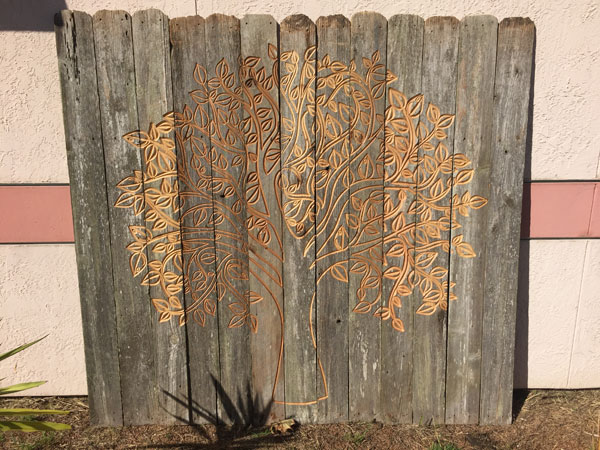
This video illustrates the process of importing, scaling, and splitting a vector design across multiple boards. This application was for used for carving an up-cycled cedar fence.
Designer 3 tutorial video demonstrating the uses of the Edit Envelope tool for warping text and the Select Materials tool for adding a custom background texture to make a vintage looking Groceries and Dry Goods sign. Dr. Beards Project Tutorial This is a PDF tutorial project using Designer 3 tools to create a fun poster
Did you know you can make carving patterns with just the BASIC software tools? This is a quick and easy demonstration of making vines by drawing lines and using the Depth Profile and Make Pattern tools. Watch the video and follow along to learn more about these great tools everyone has! Then use these vines
Enlarging a design to carve as multiple pieces. Sometimes referred to as the “Tiling Technique”
Culmination of software basics. Using what we’ve learned to make a detailed design.